
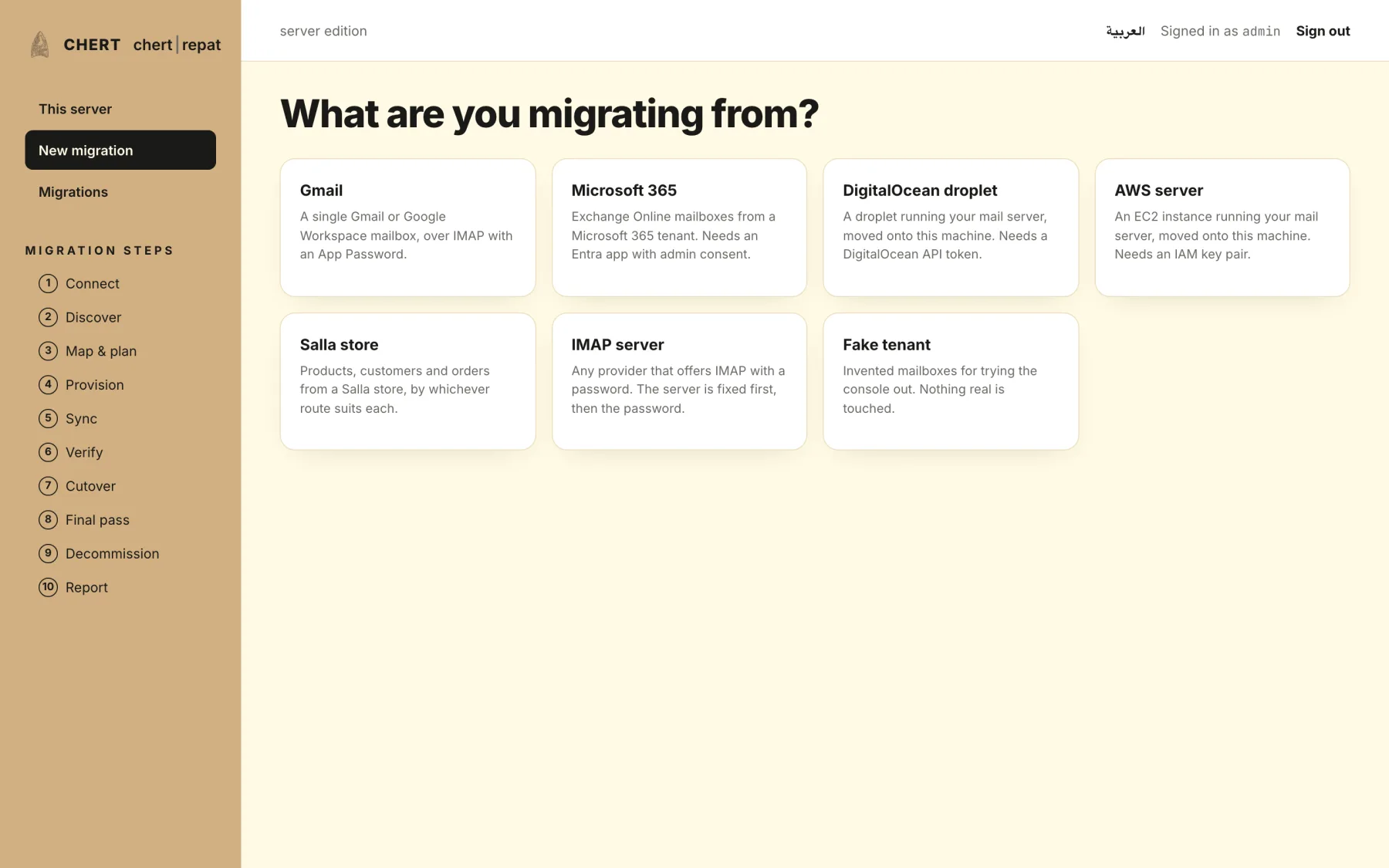
Microsoft 365
Tenant-wide: users, groups, aliases, shared mailboxes and resources. Admin consent only — your people are not asked to do anything.
Self-hosted migration engine · one engine, two editions · Saudi Arabia
CHERT Repatriation moves a mail tenant, an online store or an entire Ubuntu server from a cloud provider to hardware you control. Nothing is changed at the source, nothing is assumed, and every migration ends in a signed report that says what moved and proves it.
Sources
One engine reads every source through the same connector contract, so a mailbox and a storefront are verified the same way and reported in the same format.
Tenant-wide: users, groups, aliases, shared mailboxes and resources. Admin consent only — your people are not asked to do anything.
Directory, mailboxes, folders, labels and settings, through a service account you authorise and can revoke in one click.
One mailbox at a time with its owner's consent, for the people a tenant migration leaves behind.
A server you name, bound before its credential is stored and checked against a network policy that refuses private addresses.
Products, categories, media, prices, stock, customers and orders — by merchant API, bulk export, dashboard files or the public storefront.
Whole Ubuntu servers: databases, files, services and configuration, rebuilt on your hardware and cut over.
Buckets copied with checksums per object, so a migration of forty million files can prove it moved forty million files.
Folder counts, Message-ID digests and content hashes compared on both sides, then signed into a report you keep.
Lifecycle
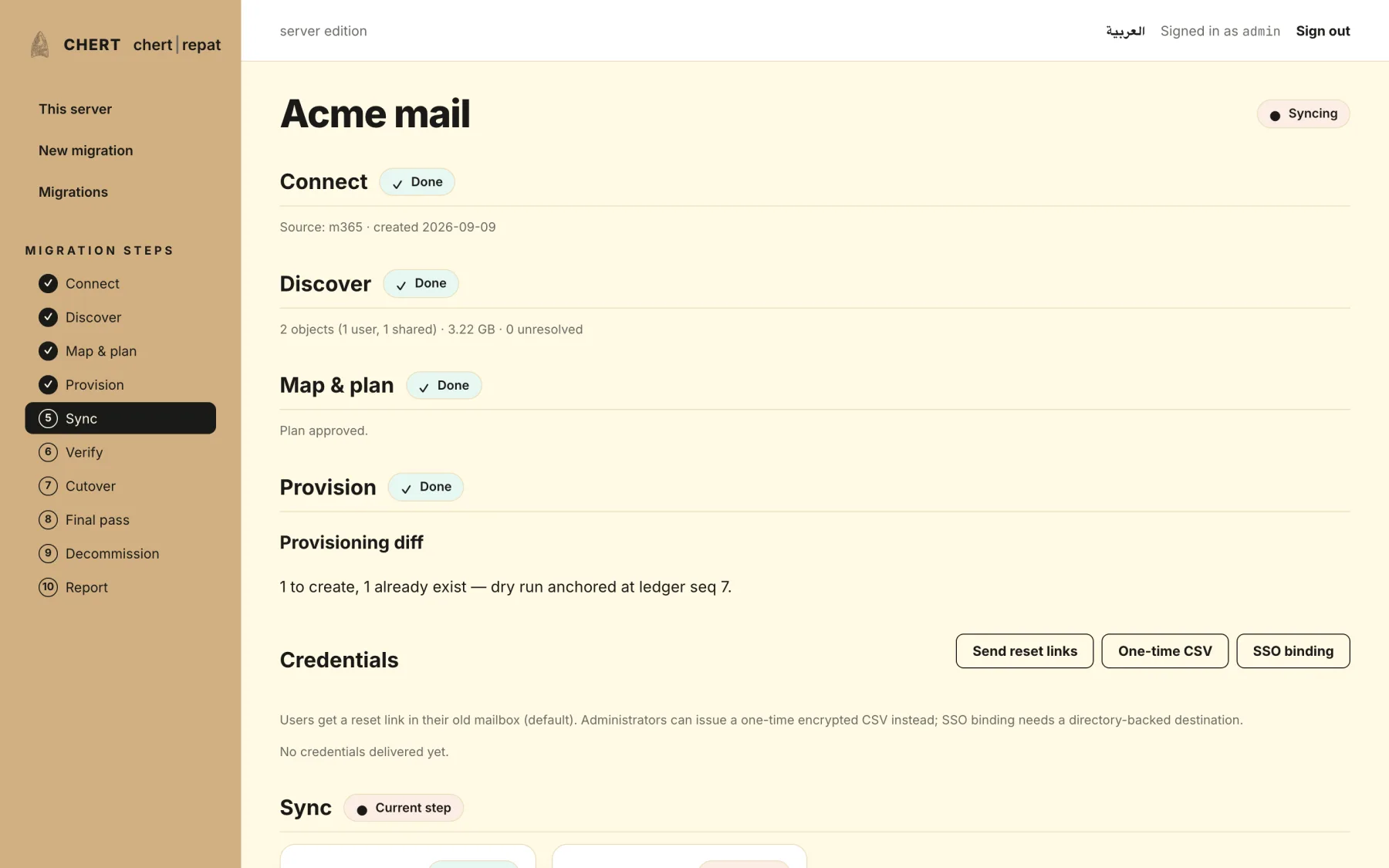
A migration is a state machine, not a script. Every stage is idempotent, resumable and recorded; the source is untouched until a separate, explicit decommission step.
Stage 01 / 10
Prove the credential before anything else
The source is asked what permissions it actually granted, and the answer is shown as a matrix rather than a tick. A missing scope is named, not discovered later.
Run by
Stage 02 / 10
Read the whole directory
Users, groups, aliases, shared mailboxes, resources, sizes and folder counts — an inventory you can read before committing to anything.
Run by
Stage 03 / 10
Decide who becomes whom
Every source identity is mapped to a destination address, with waves, quotas and exclusions. Unresolved rows block the plan; a reason is required to exclude anyone.
Run by
Stage 04 / 10
Build the destination
Accounts, aliases, groups, quotas and sharing created on the destination, idempotently — a second run changes nothing and says so.
Run by
Stage 05 / 10
Move the content, in waves
imapsync at pinned upstream versions, paced per provider, resumable per mailbox. A stuck mailbox fails alone and the wave continues.
Run by
Stage 06 / 10
Settings, not just messages
Rules become Sieve, out-of-office and signatures carry across, contacts and calendars move to CardDAV and CalDAV.
Run by
Stage 07 / 10
Compare both sides, twice
Counts per folder, 256 bucketed Message-ID digests, flag samples, then a second round on the buckets that disagreed. A mismatch names the mailbox and the message.
Run by
Stage 08 / 10
Switch the name, keep the old one
DNS and MX move on a checklist with the previous values recorded. Coexistence forwards what arrives late; a final pass sweeps it up.
Run by
Stage 09 / 10
Nothing is deleted yet
A cooling period in which the source still works and rollback is a DNS change. This is the step most migrations skip and most regrets come from.
Run by
Stage 10 / 10
Separately, explicitly, and recorded
Removing anything from the source is its own approval, its own ledger entry and its own date. It never happens as a side effect of success.
Run by
Interactive architecture
Select any component to see what it does, or play a journey and watch the work move through the system.
Where the data lives today, and what it will answer questions about.
One contract every source is read through, and the guards around it.
Decides what should happen. Never touches a byte of content.
Does the work, on the destination, beside your data.
Where it lands — all of it on hardware you own.
What you are left holding when the migration is over.
Message bodies, attachments, files and database contents never pass through the control plane — not in the hosted edition either. They go from the source to your destination directly, and the control plane sees only counts and hashes.
Guarantees
Not policies written in a document. Constraints enforced in code, with tests that fail if broken.
Activities that touch message, file, contact or calendar bytes run on your destination. The control plane is refused those activities at startup, by the code that builds the workers.
Nothing is deleted or changed at the source until a separate, explicitly approved, recorded decommission step after the cooling period.
Every step carries an idempotency key. Run it twice and the second run reports no change. A migration interrupted at hour nine resumes at hour nine.
Consents, approvals, secret reads, provisioning, cutover and decommission, in a hash-chained ledger with no other write path.
Credentials are leased from OpenBao, bound to the job, and revoked when it closes. Nothing secret reaches git, a log or an error message.
imapsync, MinIO and the rest run at pinned upstream versions as separate processes. Never patched, never linked — so their licences stay theirs and their fixes stay yours.
Not a translation layer over an English product. Right-to-left is a first-class direction in every screen, and both languages ship from the same source.
No migration is called complete because a job finished. It is complete when both sides were counted, compared and signed.
Components
Five parts. The engine and console on your control host; one agent per destination.
Python 3.12 · the whole migration brain
Go · runs on the destination
chertrepat · for operators who prefer a prompt
React · English and Arabic
Debian · for air-gapped and offline installs
Inside the console
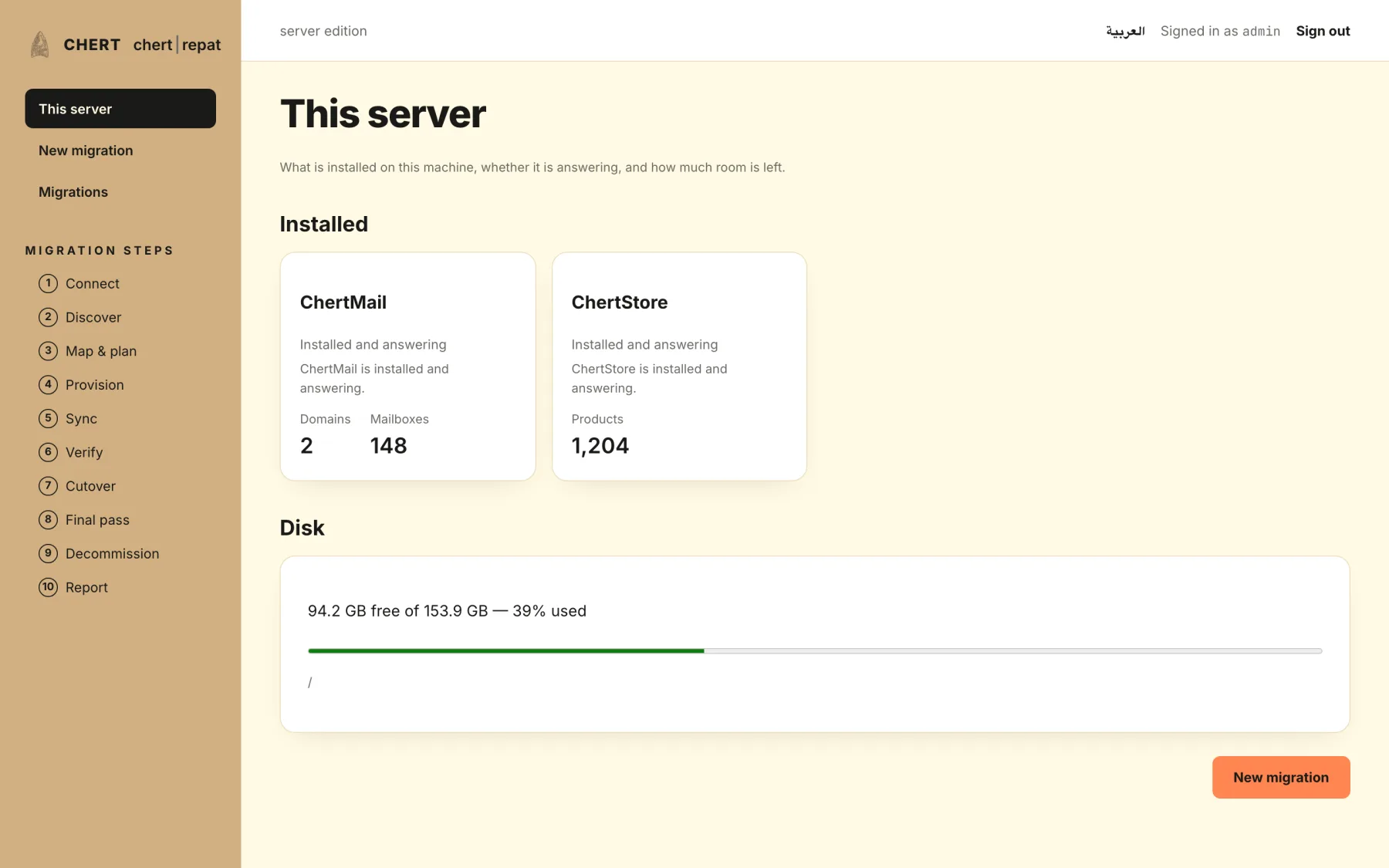
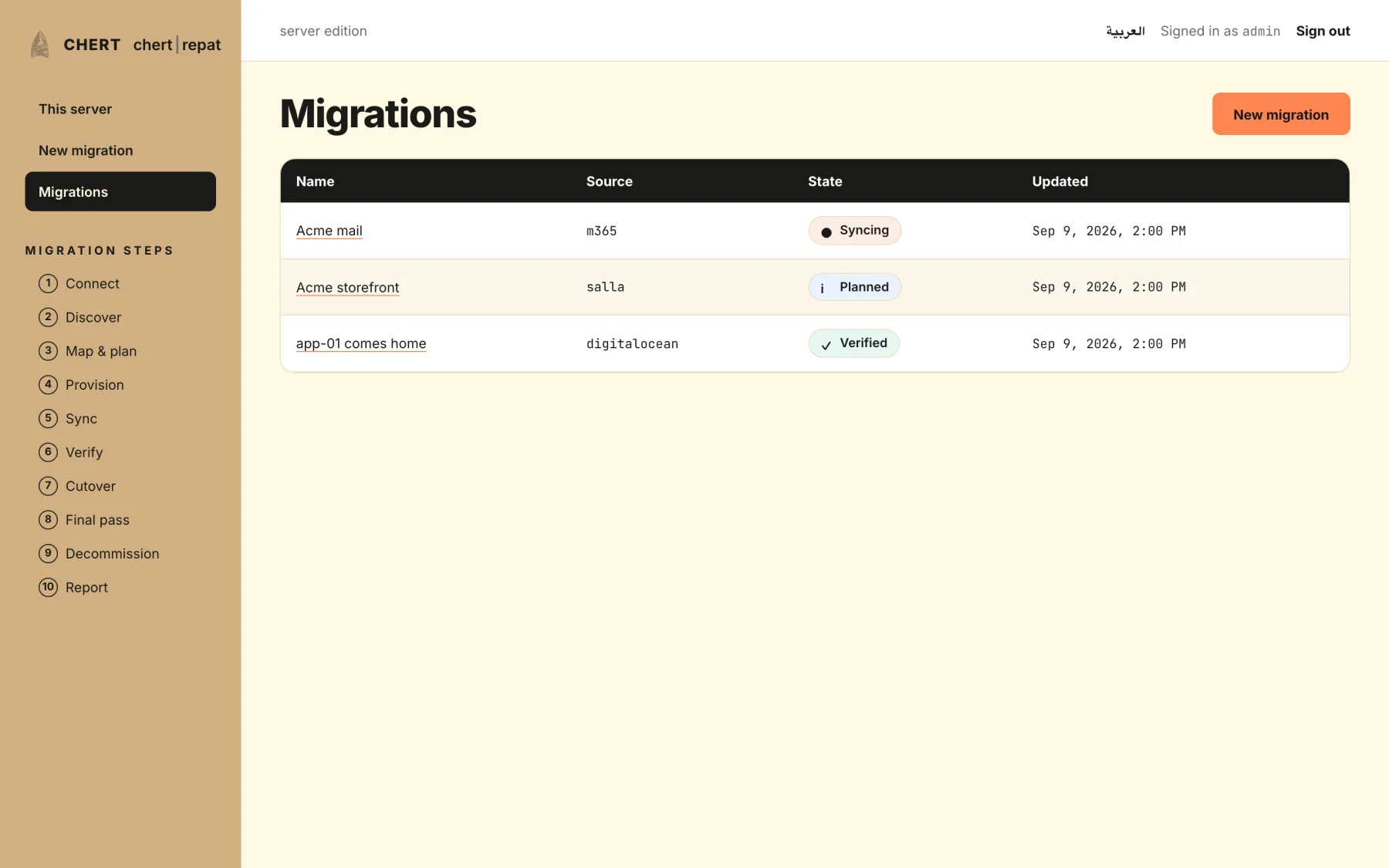
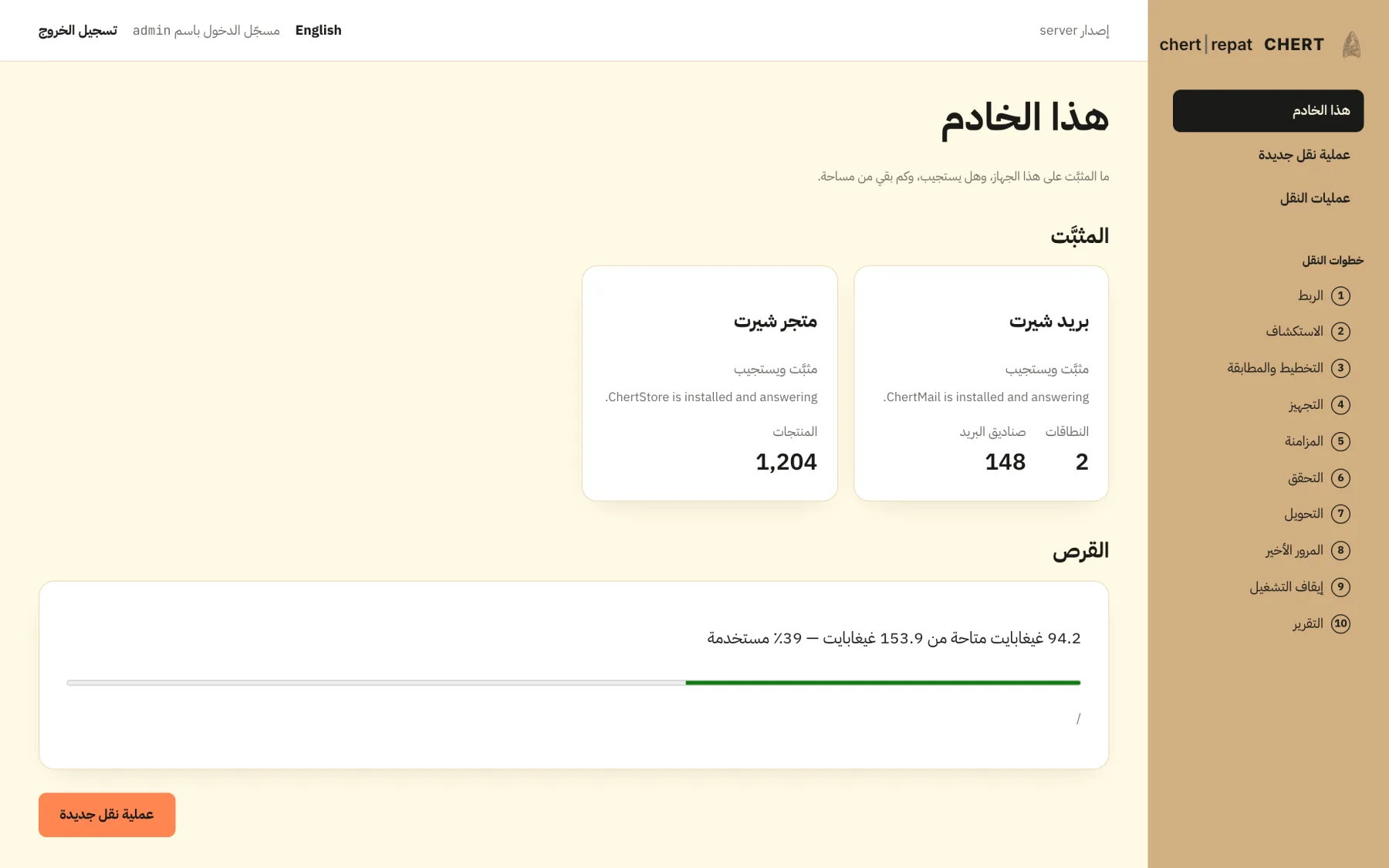
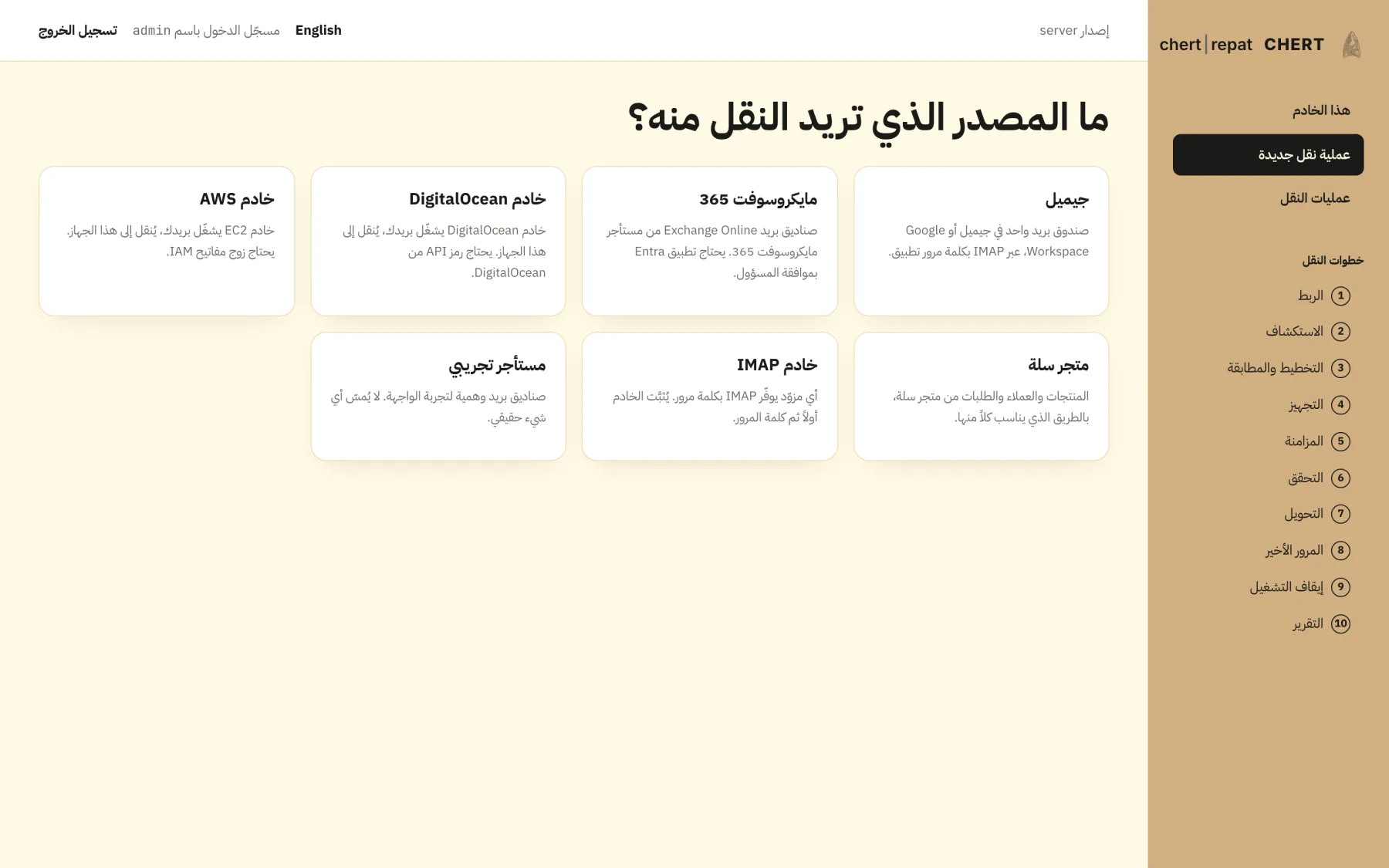
Captured from the built console against representative data — in both languages, because both ship from the same codebase. Every address in them is example.test.
Editions
The same code either way. What differs is who runs the control plane and who registers the apps.
| Server edition | Platform edition | |
|---|---|---|
| How you get it | Included with CHERT Systems, installed on your own server | Sign up here; you install only the agent |
| Control plane runs | On your hardware, on your network | CHERT infrastructure in the European Union |
| Connecting Google or Microsoft | Guided setup of your own app registration | One click with CHERT's verified apps |
| Pricing | Included with CHERT Systems | Per mailbox, server or store; MSP tiers |
| Where content flows | Source → your destination, directly | Source → your destination, directly |
Neither edition routes message or file content through CHERT. In the hosted edition the control plane orchestrates and verifies; it never holds your mail.
Run a pilot wave, read the signed report, then move the rest. Nothing at the source changes either way.